
METROLORE DocsDiscordBasket
  1. Home
  2. FiveM scripts
  3. Vehicles
  4. Handling Editor

M1Line M1 · Vehicles

HandlingEditor

Handling Editor panels: engine values, range warnings and templates
Handling Editor panel with engine and gearbox values
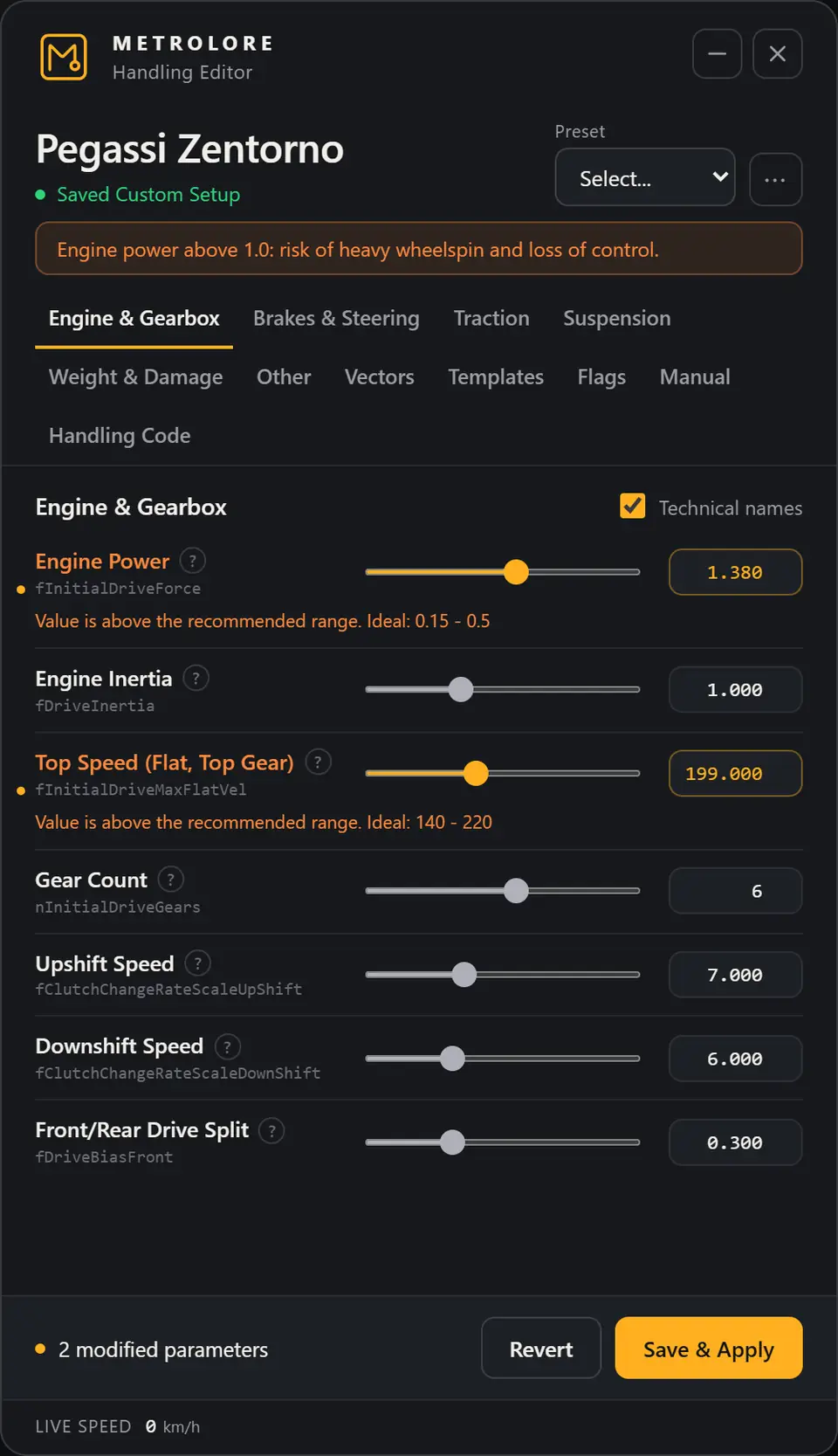
Handling Editor showing a range warning
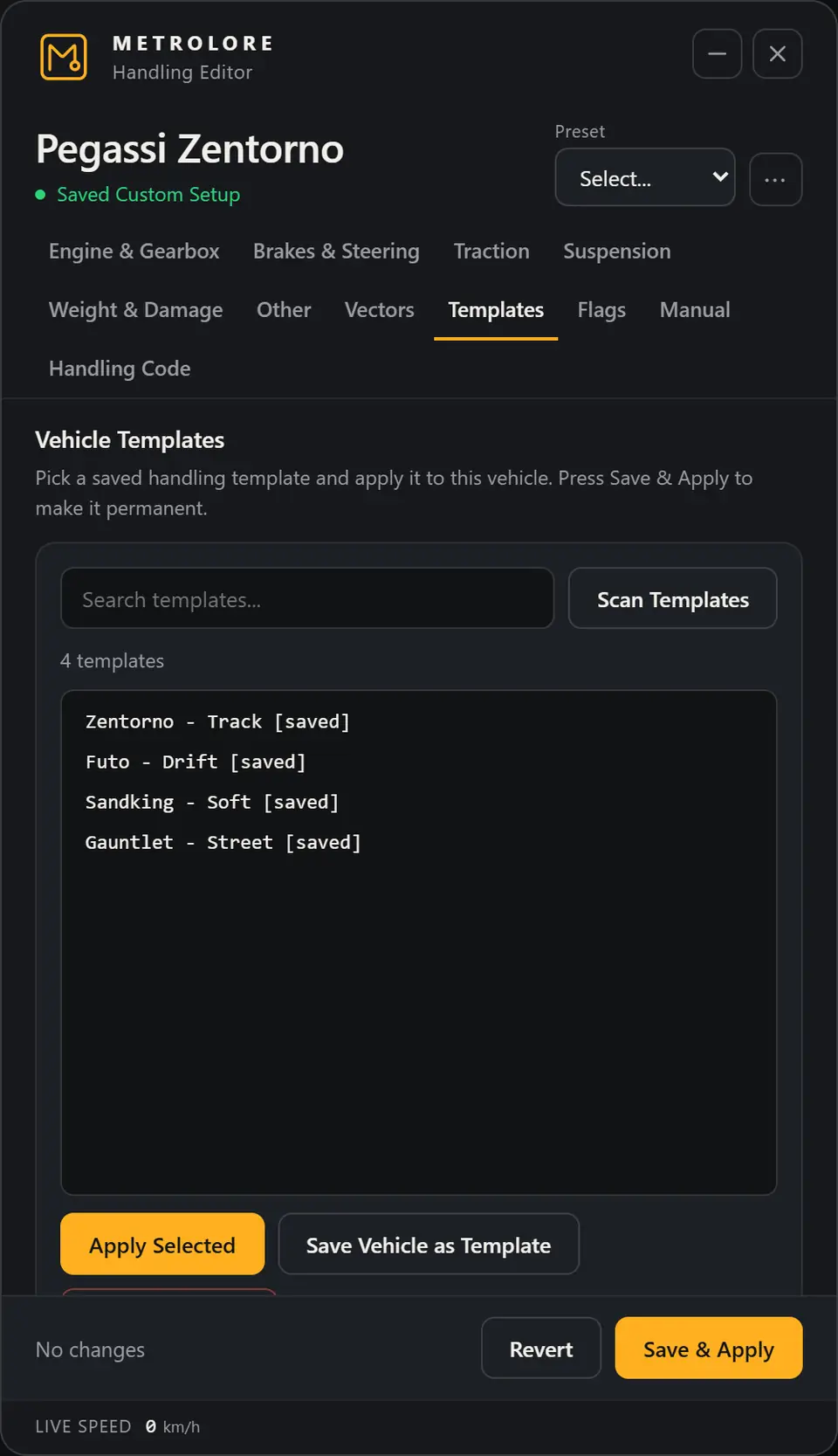
Handling Editor vehicle templates list

Overview

What this line does

Authorized staff tune the vehicle they are driving, test it on the road and keep the result across restarts. Changes apply at once and only for you until you save.

Command
/handle
Permissions
ACE, QBCore/QBox, ESX
Database
No SQL
Languages
English, Turkish

Features

Stops on this line

Live editing in Handling Editor
STOP 01

Live editing

Engine and gearbox, brakes and steering, traction, suspension, weight and damage, vectors and flags on the vehicle you are driving.
Range warnings in Handling Editor
STOP 02

Range warnings

A value outside the recommended range is allowed but marked, with the ideal range under the row. Values outside the hard limits are refused.
Templates in Handling Editor
STOP 03

Templates

Save a vehicle setup, apply it to another vehicle or import from handling files.

  • PresetsComfort, Drift and Sport, applied on top of the current setup.
  • ExportExport the current values as a handling.meta item.
  • Persistent savesStored in the resource and written to an aggregate handling.meta so the values load at start-up.
  • Manual fieldReach any handling field that is not in the list.
  • Speed limitA global speed limit option works as a hard cap.

Before you buy

Requirements

  • FiveM server with a recent artifact
  • Any framework. Permissions work with ACE, QBCore/QBox or ESX
  • Write access to the resource data folder

Install

Get it running

  1. Put the mlr-hand folder in your resources directory.
  2. Add it to server.cfg after your framework and your vehicle resources, so its aggregate handling file loads last.
  3. Give your staff access with ACE, QBCore or ESX.
  4. Restart the server, sit in a driver seat and type /handle.
ensure qb-core
# ... your vehicle packs ...
ensure mlr-hand

add_ace group.admin mlr-hand.use allow

Full installation guide →

Help

If something stops

The menu does not open

You must be in the driver seat. Check the F8 console for errors and that the resource is started. After a resource restart the client downloads it again, so wait a short while or reconnect.

Saved handling is gone after a restart

Start mlr-hand after your vehicle resources. Make sure the data folder is writable and Config.WriteAggregateHandlingMeta is true.

Can it save helicopters and planes?

No. The editor refuses aircraft handling because saving it breaks flight physics.

Why is a value refused?

It is outside the hard limit for that field. The message shows the allowed range.

Keep going

Next stops