 METROLORE
STOP 01
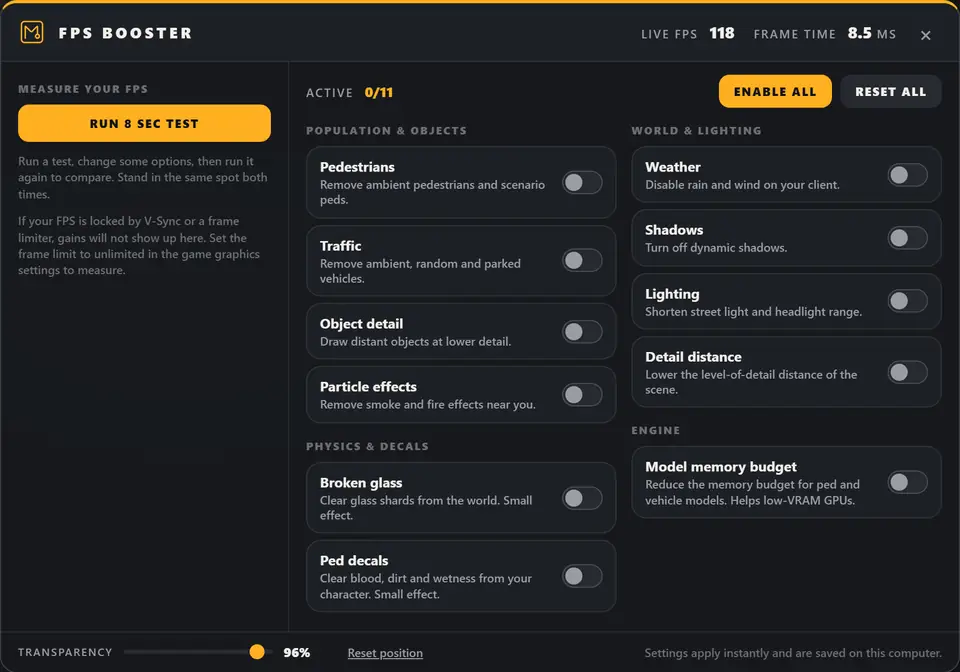
11 options
Population, traffic, object detail, particles, physics leftovers, weather, shadows, lighting, detail distance and model memory.
Overview
Players switch individual options on or off and watch their live FPS and frame time. It does not promise a fixed gain. The built-in test measures what actually changed on their computer.
Features
Population, traffic, object detail, particles, physics leftovers, weather, shadows, lighting, detail distance and model memory.
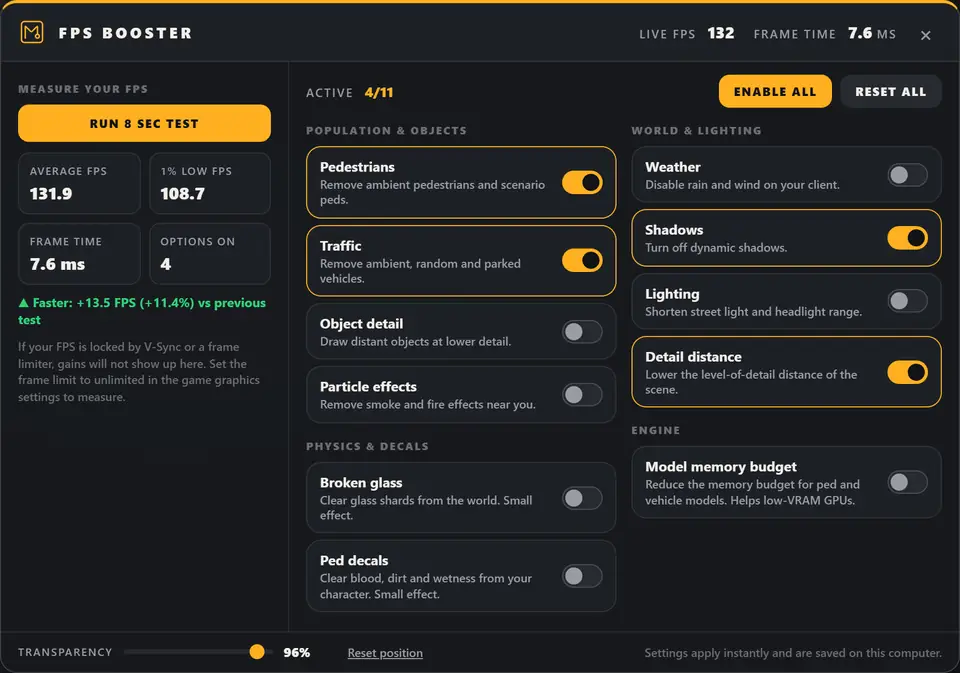
Records every frame for 8 seconds and shows average FPS, 1% low FPS, frame time and the number of options that were on.
Before you buy
Install
ensure mlr-fpsboosterHelp
That is a correct result when something other than the options limits the FPS, such as V-Sync, a driver frame limiter or a borderless window locked to the monitor.
Another resource may control the same effect, and some options have a small effect by design.
The resource removes only ambient entities on the player's own client. Entities from other scripts, shared over the network or with a player inside are kept on purpose.
Settings are stored in the player's FiveM client. Clearing the FiveM cache or reinstalling FiveM removes them.
Keep going